 Casi todo el mundo ha oído hablar hoy en día de Photoshop, pero que sabemos realmente de él. Para muchos es el mejor programa de retoque fotográfico que ha existido, para otros solo una herramienta que permite a las revistas publicar falsas fotos de famosos. Pero alejándonos un poco de esto, vamos mucho mas allá, al principio de todo…
 Casi todo el mundo ha oído hablar hoy en día de Photoshop, pero que sabemos realmente de él. Para muchos es el mejor programa de retoque fotográfico que ha existido, para otros solo una herramienta que permite a las revistas publicar falsas fotos de famosos. Pero alejándonos un poco de esto, vamos mucho mas allá, al principio de todo…
Photoshop es uno de los programas mas vendidos en todo el mundo. Se ha convertido en un estándar para varias industrias y es una fuente de recursos de gran calibre para Adobe Systems Inc. Sin embargo, hoy conoceremos los humildes orígenes de este sensacional programa que tantas horas de creatividad nos proporciona, tanto en el área profesional como artística.
¿Has oído hablar de los NFT ?
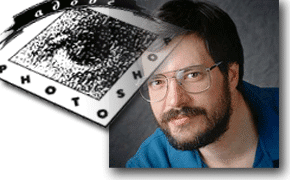
Nos vamos a 1987. Encontramos a Thomas Knoll, candidato a doctorado en visión de ordenadores.
Para ello intenta escribir un programa que sea capaz de reproducir imágenes en pantalla con tramas de gris. Estamos hablando de cuando los monitores apenas mostraban algo en Blanco y Negro. El programa se llamó Display. Escrito originalmente en un ordenador Mac Plus, como diversión para el doctorado, Display llamó la atención de su hermano John, el cual había trabajado en la ILM (Industrial Light and Magic), nada menos que la empresa de efectos especiales de George Lucas. La ayuda de John fue inestimable para poder producir nuevas versiones de Display con funciones cada vez mas amplias. Meses mas tarde, Display era capaz de leer y escribir diversos formatos de ficheros gráficos, trabajaba en color -adaptándose al cambio de hardware- y se estableció la base para los plug-ins. Las selecciones ya eran en aquel entonces una realidad, incluso con bordes suavizados (calado). Otras opciones disponibles eran los niveles, el balance de color, el ajuste de tono y saturación y algunas posibilidades de pintura.
1988. Casi un año mas tarde John cree tener la base para un producto comercial. Por aquel entonces solo existía una aplicación similar a lo que pretendían crear los hermanos Knoll, PhotoMac. Entonces empezaron los cambios de nombre de la aplicación. Tras muchos intentos fallidos -los nombres ideados ya existían- alguien les sugirió Photoshop. Y desde aquel día así se llama el programa. Problemas financieros, visitas y contactos con diversas posibles fuentes de financiación finalmente consiguieron atraer la atención de Barneyscan, un fabricante de scanners. La primera versión comercial de Photoshop, la 0.87, apareció junto a estos dispositivos. Unas 200 copias. Tras contactos con Apple y de vuelta a Adobe, Russell Brown, el principal director de arte, queda absolutamente impresionado con Photoshop. Las circunstancias eran algo adversas. Acababa de firmarse un contrato con Letraset por su producto ColorStudio. Convencido de que Photoshop era mucho mejor, Adobe decide comprar la licencia para la distribución de Photoshop.
¿Has oído hablar de los NFT ?
1989-1990. Durante este periodo sigue el desarrollo del producto sin apenas beta testers.
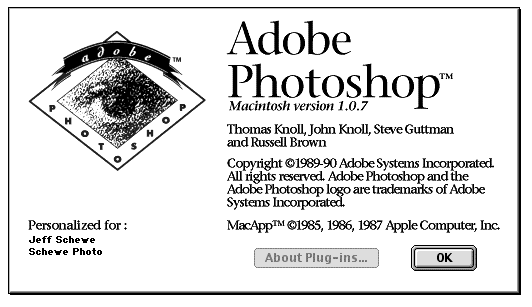
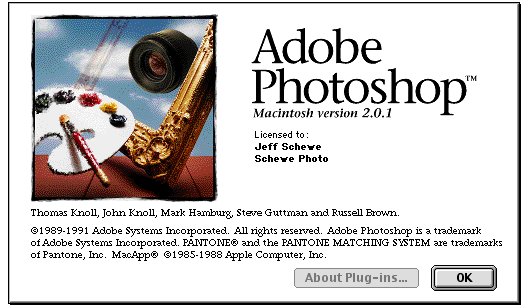
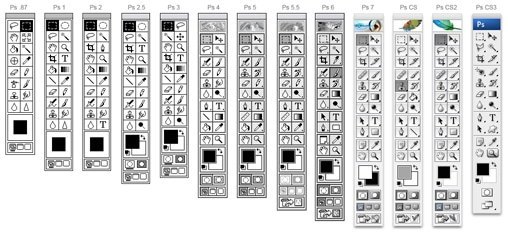
Se siguen las sugerencias para mejorar la aplicación y mientras, Thomas escribe y reescribe el código. En febrero de 1990 aparece Photoshop 1.0. Tras encontrar diversos bugs y corregirlos, aparece la versión 1.0.7. La competencia no puede con su interface elegante y su código bien escrito. La calificación es excelente. En estos años la revolución de la autoedición esta tomando fuerza, y Photoshop se aprovecha de ello en gran medida. Russell Brown produce una serie de demostraciones divertidas y espectaculares para mostrar la facilidad de uso y potencia de Photoshop. ColorStudio dispone de características que no están presentes en Photoshop, pero tiene una gran desventaja en contra. Letraset ha posicionado su producto en el mercado vertical, dejando al margen al público en general. Se desarrolla y publica la versión 2.0 de Photoshop, convirtiéndose en un estándar de facto. A partir de este momento empiezan a entrar mas ingenieros en juego. Thomas Knoll ya no es suficiente para lo que va a venir en siguientes ediciones. Mark Hamburg, el «hombre trazados», incorpora la tecnología necesaria para el tratamiento de trazados. Photoshop 2.0 permite integrar gráficos procedentes de Illustrator, soporta el modo CMYK, duotonos, y la herramienta Pluma. Steven Guttman se convierte en el primer Product Manager de Photoshop y empieza una larga tradición dando nombres clave a las versiones beta. La número 2.0 se llamó Fast Eddy. Photoshop 2.0 gana un amplio rango de clientes en la industria de la impresión gracias a su soporte para la cuatricromía. La separación de colores genera una revolución en el mundo de la autoedición. Las ventas se disparan. Pero ello no impide que el desarrollo siga adelante. Llega el momento de plantearse una versión para entorno Windows. Esta debe desarrollarse en paralelo a la versión Mac. La versión Windows se llamó Brimstone, y la de Mac, Merlin (de ahí seguramente los huevos de Pascua en los que aparece el mago). La nueva versión se convierte en Photoshop 2.5, no 3.0 como debería haber sido. Esta incorpora novedades tales como mejores paletas, soporte para ficheros de 16-bits, etc. Lo mas notable es que se trata de la primera versión Windows. Aparece un serio competidor en el horizonte Windows. Se llama Aldus PhotoStyler. Además, existen problemas en la gestión de memoria. Solucionado el problema aparece la versión 2.5.1, la primera para funcionar con chips Power PC. Inmediatamente empiezan los trabajos para la siguiente versión, la 3.0, llamada Tiger Mountain (otro bonito motivo en los huevos de Pascua). La mayor diferencia estará destinada en convertirse en una de las mas brillantes características del programa, las capas. Aquí aparece la controversia. Parece, según la prensa, que esta función ha sido plagiada de otro programa, Live Picture. No es preocupante, a pesar de los productos de HSC, mas tarde MetaTools y finalmente MetaCreations (todos nombres de la misma empresa creadora de Live Picture), Photoshop puede con todo y Live Picture desaparece de escena.
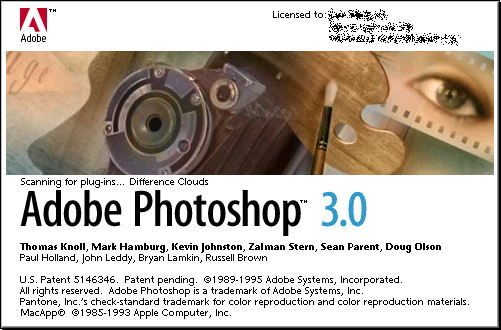
1994-1995. A finales de septiembre de 1994 aparece la versión Mac de Photoshop 3.0.
En noviembre, para Windows. Esta versión no estaba exenta de problemas diversos. Falta de documentación, código beta no desactivado, etc. De aquí se derivaron 3.0.1 y 3.0.3 para resolver estos conflictos. Con todo, Photoshop 3.x marcó un hito. A partir de ahora era posible trabajar con objetos gracias a las capas, y ello lo cambió todo por completo. La edición y retoque, la composición de imagen, prácticamente todas las operaciones eran mucho mas flexibles. La falta de una función Deshacer múltiple se paliaba en parte gracias a la posibilidad de copiar capas y eliminarlas después.
¿Te interesan los NFT ?
1996. Tras un largo periodo en el que se pensó haber llegado a máximo con Photoshop 3.0, vuelven los esfuerzos e ilusiones para dar paso a la siguiente versión.
Para ello se toma una decisión radical: modificar por completo la interfaz del programa. El objetivo final es solo uno: unificar criterios e interfaces entre todas las aplicaciones Adobe. Sin entrar en la polémica suscitada por estos cambios, la futura versión va a contener una serie de novedades importantes. Se desarrollan las acciones, las capas de ajuste, las rejillas y las guías. Se trabaja en la transformación libre, y en la aceleración de la pantalla mediante caché. Así fue el inicio de la versión 4.0, llamada Big Electric Cat. A pesar del sufrimiento y desagrado expresado por gran parte de la comunidad de usuarios de versiones anteriores, respecto a los cambios de interfaz y atajos de teclado, Photoshop 4.0 tuvo un éxito rotundo. El numero de libros escritos sobre Photoshop supera el centenar. Aparecen compañías como setas, ofreciendo sus productos: plug-ins, add-ons para Photoshop. ¿Hay algo que pueda hacer pensar en mejorar aún mas el producto? Seguramente la World Wide Web tenga mucho que ver en esto. Se necesitan muchas herramientas para hacer frente a la demanda gráfica en Internet, y todo esto lleva al equipo de ingenieros de Adobe a replantearse una revisión y nueva edición de Photoshop. Photoshop 5.0 ya está en desarrollo e incorporará herramientas y características nunca antes soñadas. Una de las mas impactantes es la Paleta Historia, una interesante e inteligente forma de pensar en la herramienta Deshacer, pero de forma mucho mas dinámica, flexible y clara. La estructura de la función deshacer, por definición lineal, aquí deja de serlo. Es posible retroceder varios pasos, bifurcadas hacia otro camino y no perder el trabajo hecho en el anterior. Increíble. Algunas herramientas sufren cambios, como el pincel de clonar o pluma. Y llegamos a la mejor de todas las novedades, la gestión de color. Para algunos significa un gran avance para otros, un desastre. Gracias al uso de la gestión de color pensada como perfiles independientes, es posible trabajar con originales procedentes de diversos orígenes -diapositivas, video, scanners, fotografías, etc- sin alterar el esquema de color original. Hasta el momento solo era posible hacerlo gracias a instrumental especializado y caro. La ganancia de punto también sufre cambios en su implementación. Tal como ocurrió con el soporte de cuatricromía en su momento, estos cambios tienen su mayor impacto en la industria de las artes gráficas.
En mayo de 1998 aparece Photoshop 5.0.
A pesar de todas estas mejoras, quedaba un tema pendiente, la Web. ImageReady hace su aparición como respuesta a la demanda de los usuarios. Se trata de un «casi» Photoshop, con funciones especificas para la Web. Recorte de imagen, optimización de la misma para mejorar el tiempo de descarga navegando por Internet, etc. La primera versión no tuvo el impacto deseado, quizá debido a falta de funciones y herramientas ya existentes en otros ámbitos, programas o incluso en plug-ins para Photoshop. Con la aparición de Photoshop 5.5, ImageReady 2.0 forma parte del mismo paquete, convirtiéndose en compañeros inseparables.
La permanencia de Photoshop 5/5.5, se podría decir que marcó la cima del vertiginoso ascenso de lo que ya se consideraba como el líder absoluto en la edición de imágenes.
Tal vez nunca hubo tal explosión en lo referente a creación de aplicaciones secundarias relacionadas al programa como lo fueron los centenares de Plugins de distintas compañías.
Tan fuerte ha sido la marca que impuso Photoshop 5, que hasta hoy día hay usuarios que mantienen instalada y en uso esta versión. A partir de este momento Photoshop continuaría creciendo y sorprendiendo a sus usuarios con características que en cada versión demuestran que la creatividad de los ingenieros de Adobe es sencillamente inagotable, pero sin un camino que ir abriendo sino simplemente posicionado sobre su trono de liderazgo.
Es así que en adelante, versión tras versión, empiezan a aparecer características impactantes como lo fueron el filtro «Licuar» de la versión 6, el «Pincel corrector» de la 7, el «Desenfoque de lente» de la versión 8, que pasaría a partir de ese momento a integrar la «Creative Suite» de Adobe, siendo de esta manera la primer versión «CS»; un increíble sistema de «Reducción de ruido» y la compatibilidad para trabajar en una profundidad de color de 32 bits aparecen con la CS2; una extraordinaria capacidad para trabajar en 3D con la CS3; y las funciones realmente «mágicas» de «Escala según el contenido» en la CS4 y el «Relleno según el contenido» de la CS5. Todas estas, que podríamos considerar como «destacadas», son simplemente algunas de las muchas mejoras e innovaciones sensacionales que nos brinda cada nueva versión.
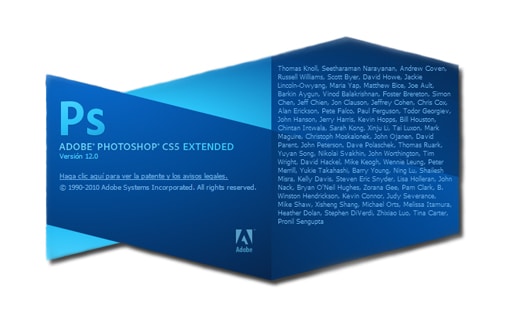
Adobe Photoshop CS6
Su lanzamiento en Mayo 2012 ofreció muchas mejoras en términos de velocidad y rendimiento a la vez que añadia la edición mejorada de vídeo y 3D. Esta nueva versión casi obliga a pensar en utilizar potentes ordenadores como los barebones y en esta página te proponen buenos barebones.
Mejoras en las capas, la herramienta de Recorte, de los archivos Camera Raw y el nuevo Relleno automático fueron los elementos destacados de la versión CS6.
Preparado para la versión 13, con el código interno de «Superstition», era el fin de la compra de la aplicación completa en modo Suite. A partir de la siguiente, empezó el modelo de suscripción. La versión 13.1.3 fue la última version de Photoshop en ofrecerse con una licencia permanente.
 El salto al Cloud con Photoshop CC
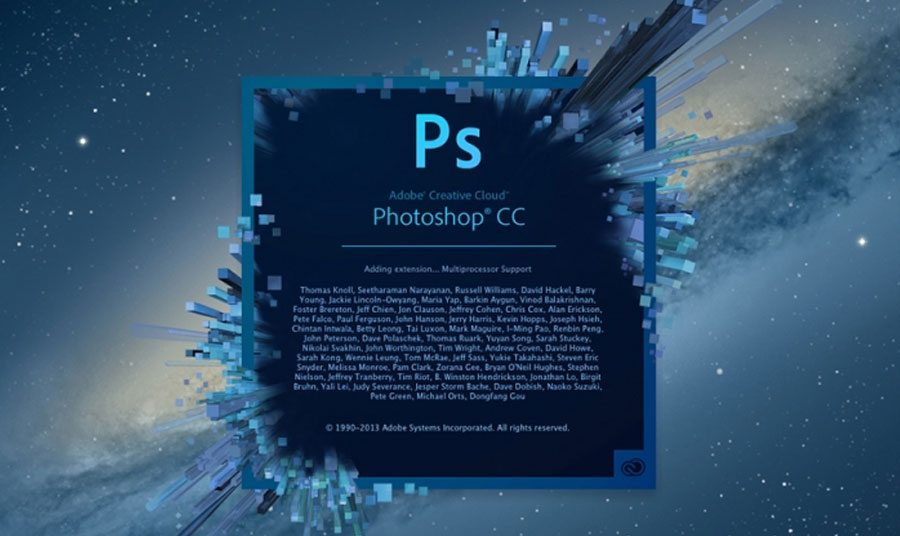 El salto al Cloud con Photoshop CC
En Junio 2013, todo cambió con el lanzamiento del versión Creative Cloud de Photoshop.
Esto permitía lanzar actualizaciones más frecuentes a los suscriptores.
La primera versión CC fue la 14 llamada también Lucky 7. La integración en la nube ( Cloud) con la recinte compra por parte de Adobe de la empresa Behance y eso permitía tener sincronizadas las preferencias en el Cloud.
Photoshop CC 2014
La versión 15.0 de Photoshop CC salió en Junio 2014 trayendo entre otras mejoras las guías y objetos inteligentes, una rueda de colores que se quedaba abierta, capas compuestas actualizables, integración completa con TypeKit, une menú de búsqueda de fuentes que se podia buscar, mejoras en el Relleno de contenido y por supuesto mejoras en las sincronización en el CLoud.
 Photoshop CC 2015 y sus múltiples variaciones de versiones..
 Photoshop CC 2015 y sus múltiples variaciones de versiones..
Esta nueva versión se lanzó con nueva interfaz al abrir la aplicación que presentaba una lista de archivos o íconos, ajustes de documentos y contenidos de la biblioteca y todo esto en un fondo oscuro.
También proponía por vez primera un enlace hacía Fuse CC, una nueva aplicación de creación objetos y modelos 3D y que se podian integrar directament en el programa Photoshop desde el Cloud.
En el 2015 y 2016 salieron varias actualizaciones del conjunto Creative Cloud desde la CC 2015.1 hasta la CC 2015.5.1 (que corresponde a la versión 17.0.1)
 Photoshop CC 2017 : no hay casi nada nuevo bajo el sol… 😉
 Photoshop CC 2017 : no hay casi nada nuevo bajo el sol… 😉
Muchas mejoras en el parte 3D, Acciones, rendimiento global de la aplicación. A día de hoy (mayo 2017) estamos con la versión 18.1.1 y sólo con una suscripción por red.
Parece que el modelo de negocio de la suscripción les va muy bien a Adobe…
En resumen, Photoshop es uno de los programas que más impacto ha tenido en más industrias. Con beneficios millonarios, la compañía que lo ha hecho posible nos depara nuevas emociones y características que no podemos ni siquiera pensar, y los inicios fueron simplemente un divertimento de Thomas Knoll mientras preparaba su tesis, que por cierto, nunca finalizó.
¿Te puede enriquecer con los NFT ?